Ensemble
A Vocal Rider–style engine that rides a chorus toward its own rolling average, so the ensemble stays even without a hand on every fader.
Ensemble keeps a chorus even, automatically. It’s a Vocal Rider–style engine: it watches the mics in your chosen routing sets, works out the group’s average level, and rides each mic toward that target — quietly lifting the ones that drop and trimming the ones that jump — so the ensemble stays balanced without a hand on every fader.
It only writes when you enable it, and it corrects trim, so it sits underneath your fader moves rather than fighting them.
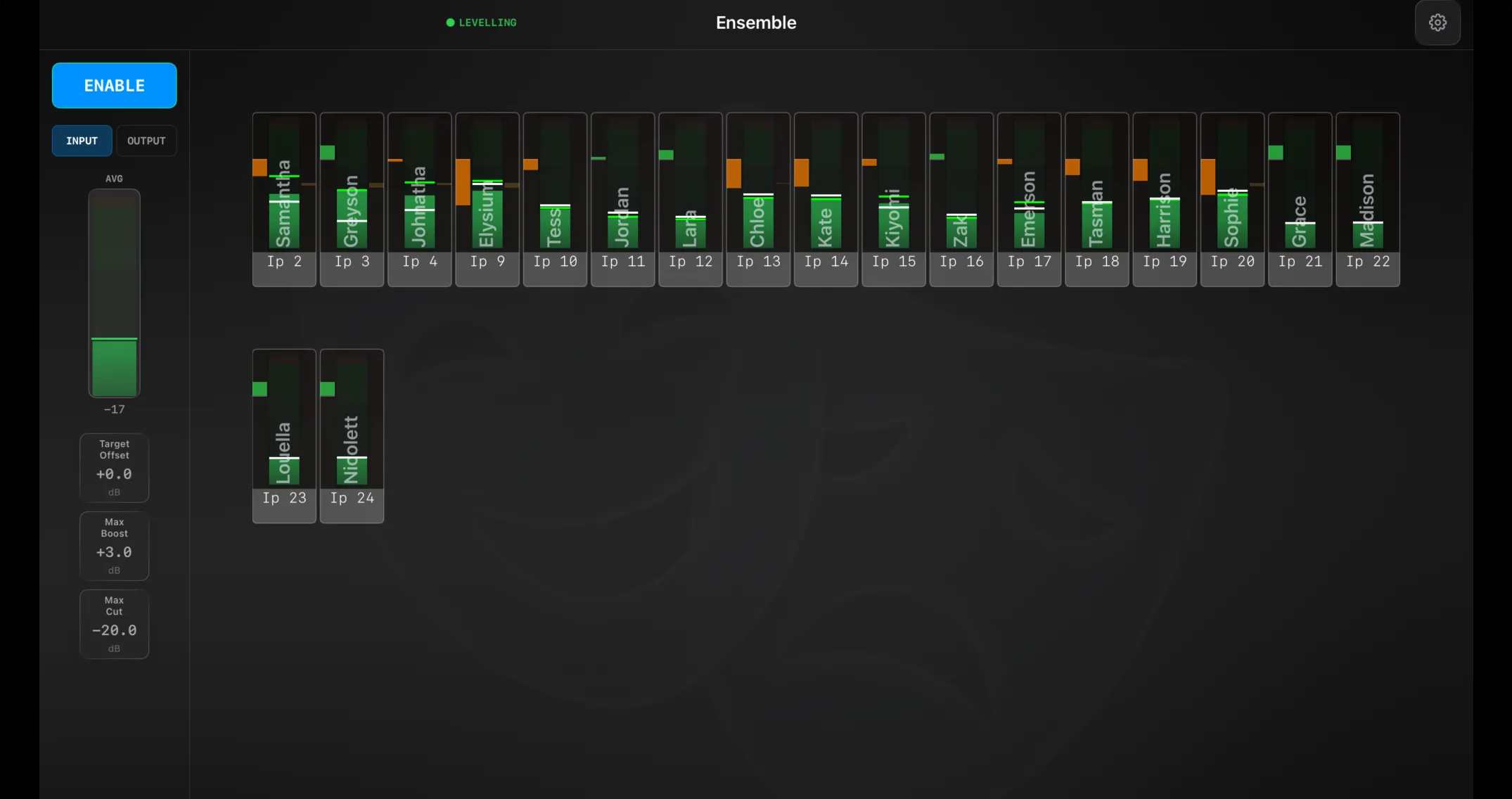
The main screen
The header shows the title and, when the engine is running, a green ● LEVELLING indicator.
Down the left is the control sidebar:
- ENABLE — turns the engine on. It asks first, because from that moment it starts writing trim corrections to the console.
- INPUT / OUTPUT — switches the meter grid between the incoming levels and the corrected result, so you can see what the engine is doing.
- AVG — a live meter of the group average, with the engine’s rolling target marked as a green line and shown in dB below.
- Quick adjust — Target Offset, Max Boost and Max Cut as drag cards, so you can nudge the engine mid-show without opening Settings.
The rest of the screen is a meter strip per active mic. Membership is automatic: whichever mics are in your included routing sets right now are the ones the engine rides — so as cues change the ensemble follows.
Preferences
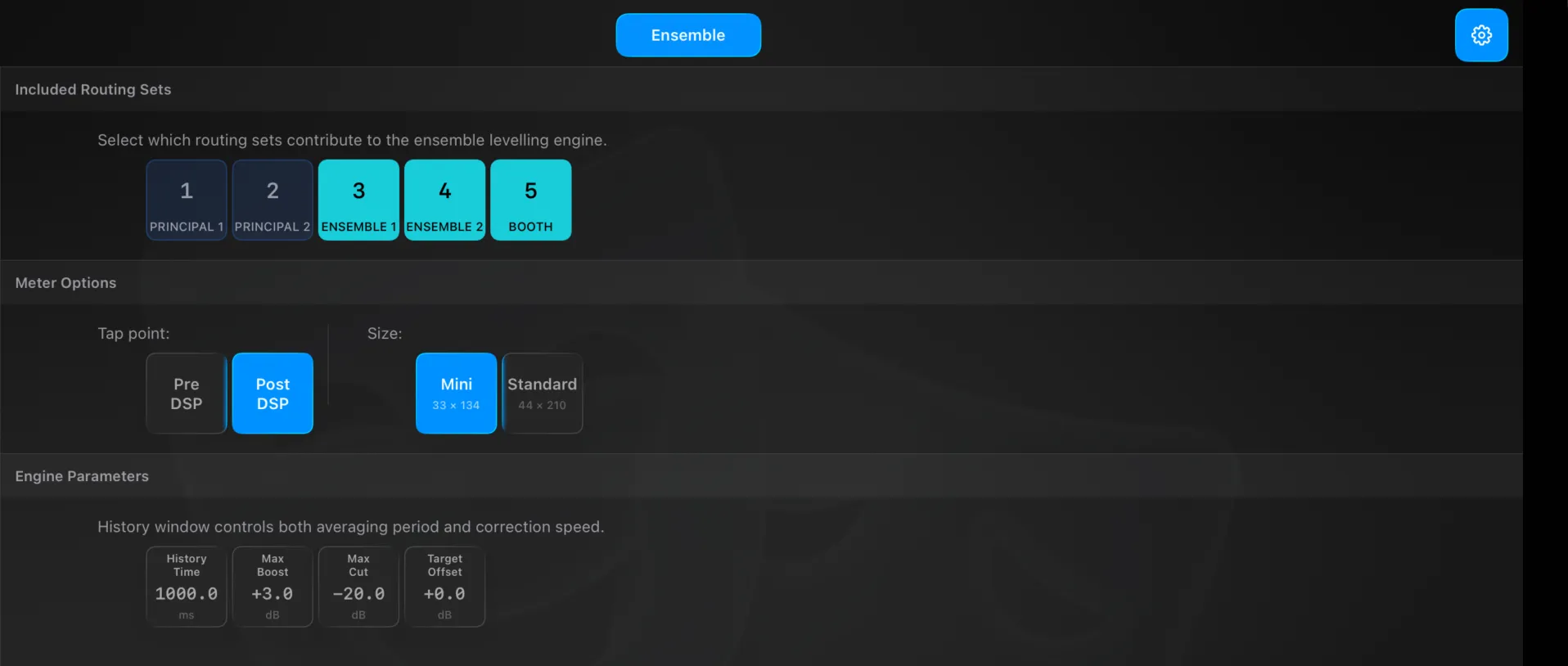
The gear opens Settings → Ensemble (a single page):
- Included Routing Sets — pick which enabled routing sets feed the engine. This is what defines “the ensemble”: only mics currently assigned to these sets are levelled.
- Meter Options — the Tap point (Pre DSP or Post DSP) the engine and meters read from, and the meter Size.
- Engine Parameters — History Time (the averaging window, which also sets how fast corrections move), Max Boost, Max Cut, and Target Offset.
How it works
BridgeEnsembleManager reads the meter taps for the active channels — membership derived live from routing-set matching — computes a target from the rolling group average, works out each channel’s correction bounded by Max Boost / Max Cut, smooths it with hold and release over the History Time window, and writes the correction only once it exceeds a small dead band (about 0.5 dB). The engine ticks on each meter push (~50 Hz).