Macros
One button, several console commands — built in Settings, fired from the dock as macro-set widgets.
A macro is a button that fires one or more console commands in sequence. Group your macros into sets, and each set becomes a row of buttons in the dock — for the moments in a show when one tap should do several things at once: recall a cue, mute a group, and send a Go to QLab, all together.
Macros aren’t a Hub panel. You build them in Settings → Macro, and they live in the dock as macro-set widgets.
Building a macro
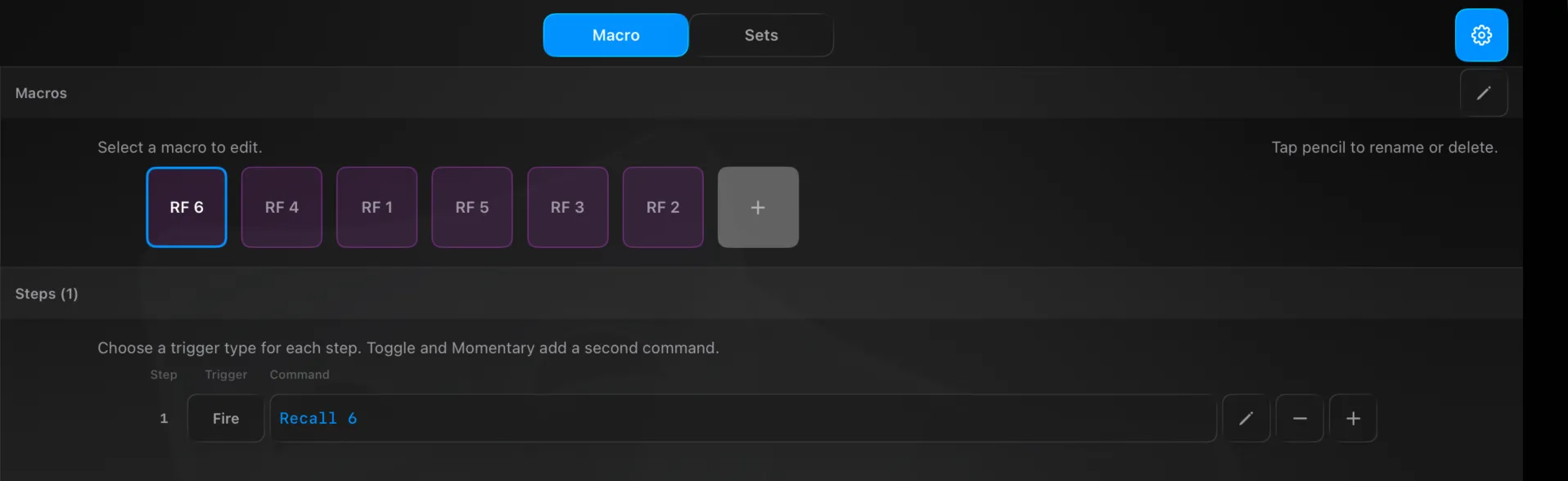
Open Settings → Macro. The Macro tab has two parts:
- Macros — your macro buttons as tiles. Tap + to add one; the pencil renames, recolours or deletes.
- Steps — the selected macro’s actions. Each step has a Trigger and a Command:
- Trigger — how the step fires: Fire (once), Press, Release, Momentary, or Toggle. Toggle and Momentary add a second command (the OFF / release action).
- Command — a plain-language line, compiled as you enter it. A green accent (and a pencil icon) means it’s valid.
Some example commands:
| Command | Does |
|---|---|
input 1 mute on | Mute channel 1 |
dca 2 level -5 | DCA 2 fader to −5 dB |
recall 6 | Fire cue 6 |
wait 500 | Pause 500 ms |
osc 10.0.0.5:53000 /go | Send a Go to QLab |
Chain several on one line with ; — e.g. input 1 mute on; wait 500; recall 6.
Grouping into sets
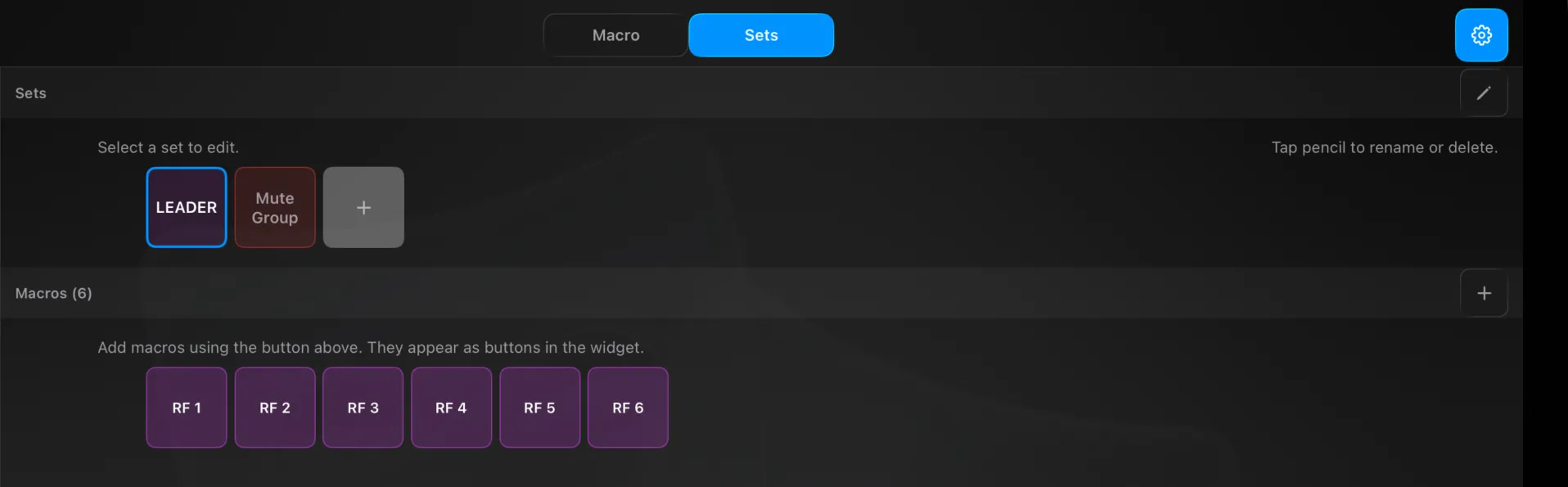
On the Sets tab:
- Sets — your macro sets as tiles (e.g. LEADER, Mute Group). Tap + to add; the pencil renames or deletes.
- Macros — add macros to the selected set with +. They appear, in order, as the buttons in that set’s dock widget.
Firing from the dock
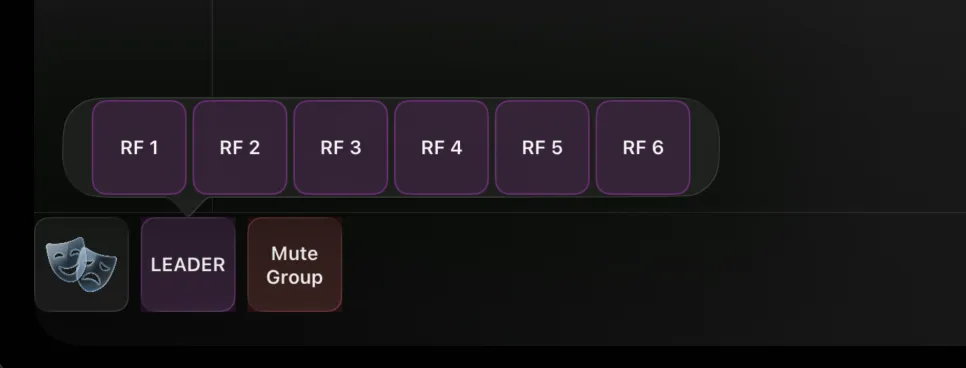
Each macro set is a card in the dock. Tap the card to pop up its buttons, then tap a macro to fire it — one tap during the show, no menus. See The Dock.
Technical Reference
Commands use a plain-language grammar: <channel> <number> [parameter [number]] … <value> (1-based), covering channels (input, aux, dca, matrix, tracked input, tracked dca, routing set…), parameters (level, mute, pan, send, eq, comp…) and values (on/off, dB, ±inf). Special commands: recall <cue>, wait <ms>, and osc <host:port> <path> [args]. Each step is compiled at edit time (MacroParser) into a CompiledAction list that the runtime walks with no parsing (MacroExecutor); toggle and momentary steps require both the primary and alt commands to compile.